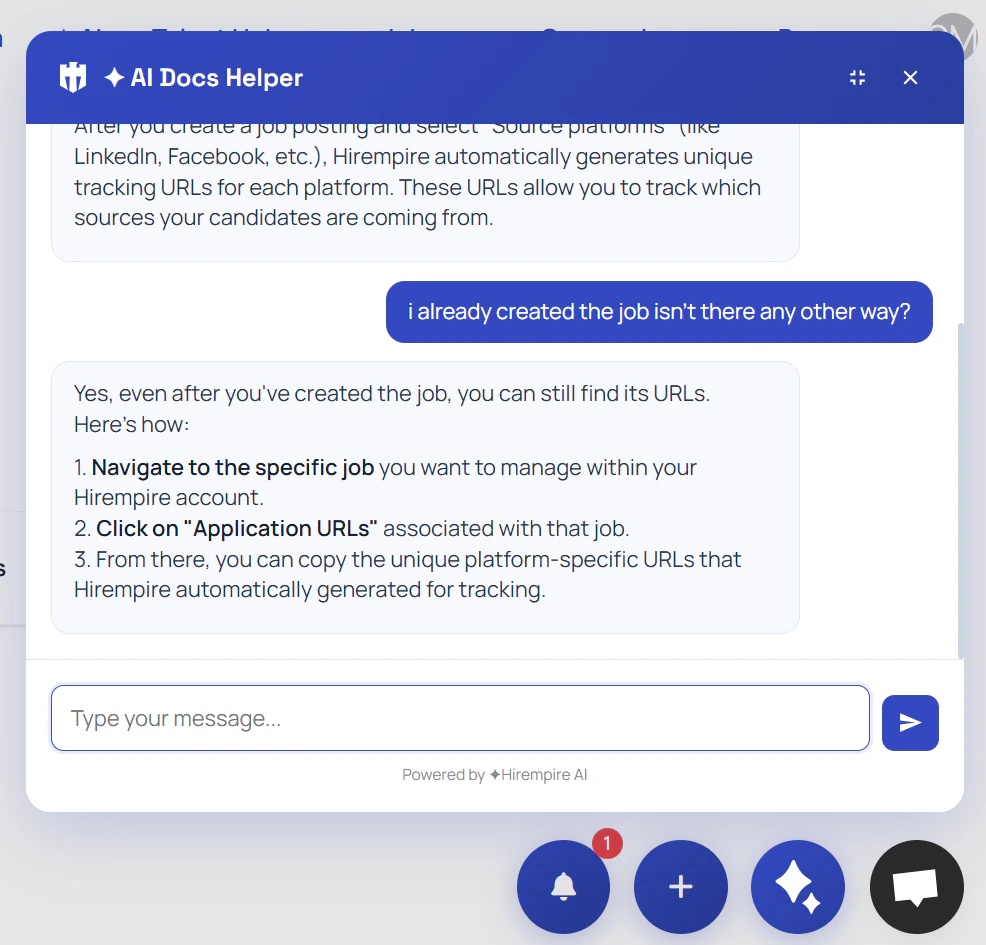
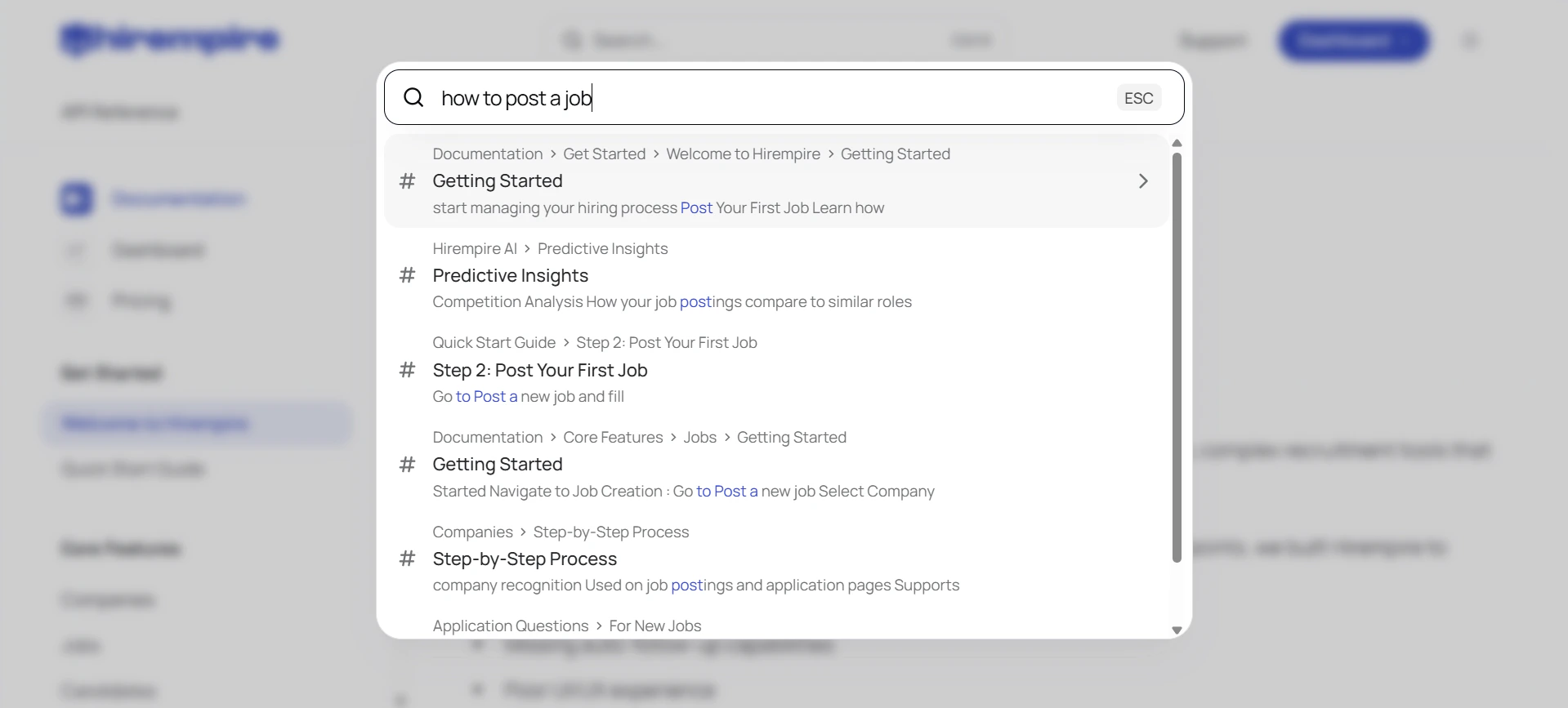
The Hirempire docs now have a built-in AI assistant. Ask any question in natural language and get instant, accurate answers sourced directly from the documentation — no more scanning pages to find what you need.How it works:
- Click the Ask me anything… bar at the bottom of any docs page
- Type your question in plain English
- Get a direct answer with relevant context
Every active job you post on Hirempire is now automatically submitted to Google Jobs. No setup required — your listings appear directly in Google Search results, reaching candidates who are actively searching without any extra steps on your end.What this means:
- Active jobs are indexed by Google Jobs automatically
- Candidates find your listings directly in Google Search
- More organic reach with zero additional effort
- Works for all active job postings across all plans
Replace the first-round phone screen with an asynchronous, proctored AI interview. Send a candidate a one-time link and they complete a live, structured AI conversation on their own time — no scheduling, no recruiter time.Built-in proctoring:
- Tab-switching detection terminates the session instantly
- Paste blocking forces real, typed responses
- The AI probes for specifics — vague answers get followed up on
Connect Claude AI directly to your Hirempire workspace using the new MCP Server integration. Once connected, you can query candidates, manage jobs, and get AI-powered insights through natural language conversation — without leaving Claude.Example prompts:
- “Show me all candidates for the Senior Developer role”
- “What’s the status of Ahmed’s application?”
- “Draft a rejection email for candidates in the Reviewing stage”
After a recorded interview ends, Hirempire’s AI automatically analyzes it and produces a structured report — so your team can make faster, more consistent hiring decisions.Each report includes:
- Overall candidate score (0–100)
- Competency scorecard (communication, technical skills, problem solving, culture fit)
- AI hiring recommendation: Strong Hire, Hire, No Hire, or Strong No Hire
- Engagement timeline showing candidate energy and participation
- Credibility signals and compliance flags
- Interviewer feedback to help your team improve over time
All your scheduled interviews and candidate meetings are now in one place. The Meetings page syncs with your connected Cal.com calendar and shows every booking in Calendar or List view.Key features:
- Monthly, weekly, and daily calendar views
- Meeting detail card with attendee info, duration, and video link
- Join Meeting button for video calls
- Invite team members to any meeting directly from Hirempire
Your recruiting team can now communicate in real time without switching tools. Hirempire Chat includes channels, direct messages, @mentions, emoji reactions, and typing indicators — all built into your hiring workspace.Highlights:
- Public and private channels
- Mention candidates (
@@name), jobs (@@@name), and tasks (@@@@name) as clickable links - Rich text formatting with bold, italic, headings, and lists
- Reaction notifications in your Inbox
Manage recruiting action items as a team with the shared Tasks board. Create tasks, assign them to teammates, and track progress through four stages: To Do → In Progress → In Review → Done.Filter by status, assignee, or search by title to find what you need fast.Read the Tasks guide
The Inbox collects all notifications relevant to you — chat mentions, emoji reactions, channel invites, and workspace activity — in one feed. Stay on top of what needs your attention without leaving Hirempire.Read the Inbox guide
Department managers can now submit structured internal hiring requests before a job goes live. HR reviews and approves requisitions, then converts them into actual job postings — creating a clear approval workflow between managers and recruiters.Requisition fields: Job title, department, employment type, workplace type, location, priority (Low / Medium / High), target start date, and description.Department Managers have access to Requisitions without needing full recruiter access.Read the Requisitions guide
Creating a job posting is now a conversation. The AI Job Wizard walks you through each detail step by step, then generates a complete, professionally written job description automatically.The wizard covers:
- Job title, department, location, and workplace type
- Career level, employment type, and salary range
- Application sources and custom questions
Get a data-driven view of your entire recruiting operation with the new Analytics dashboard.What’s tracked:
- Total applications, hired count, time-to-hire, and active jobs
- Source performance with conversion rates (hired ÷ applications per source)
- Pipeline funnel showing drop-off between stages
- Time-to-hire trend over time
Hirempire now has four distinct roles — Owner, Admin, Member, and Department Manager — each with tailored access to the right pages and features.Department Managers get targeted access to Requisitions, Meetings, Chat, and Tasks without seeing the full recruiting pipeline.Read the Members & Roles guide
All third-party connections are now managed from a single Settings → Integrations page. Connect Cal.com for meeting sync, manage the Chrome Extension, and access API tokens — all in one place.Read the Integrations guide
Subscribe to events in your Hirempire account and receive instant HTTP
POST notifications when they happen — no polling required. The webhooks system uses a challenge-verification handshake to confirm your endpoint before delivery begins.Available events:job_added,job_updated,job_deletednew_applicant— new application receivedcv_processed— CV parsing completemeeting_created— interview scheduledapplication_status_changed— candidate moved in pipeline
Let candidates book their own interviews directly on your calendar. Connect your Cal.com account and candidates who advance in the pipeline receive an automatic booking link — no back-and-forth emails, no scheduling overhead.How it works:
- Connect Cal.com from Settings → Integrations → My Calendar
- Select which Cal.com event type candidates should book (e.g., 30-min interview)
- Accepted candidates receive the booking link automatically
- Meetings sync to your Hirempire Meetings page in real time
Every candidate status change now triggers a professional, automated email — from acceptance to rejection — without any manual work. Rejection emails include an AI-generated personalized note based on the candidate’s background compared to the job requirements, so every candidate leaves with a constructive response and your employer brand stays intact.Trigger types:
- Accepted → congratulations email with next steps
- Rejected → professional rejection with AI-written feedback note
Every application is automatically screened the moment it arrives. Hirempire AI analyzes the candidate’s CV against your job requirements and produces an instant summary, match score, and key highlights — so you spend time on the best candidates, not reading every CV from scratch.What you get per applicant:
- AI-generated professional summary
- Job fit match score
- Career level and skills assessment
- Interview focus areas and potential gaps
Build a searchable database of candidates beyond your active job pipeline. Upload CVs in bulk (PDF) and Hirempire AI automatically extracts contact info, experience, education, skills, languages, and certifications — then generates a structured profile with an intelligent summary.Key capabilities:
- Bulk PDF upload (up to 10 MB per file, processed in 30–60 seconds)
- AI extracts: name, email, phone, roles, companies, degrees, skills, certifications
- Search and filter by skills, experience level, or location
- Add notes, tags, and custom labels to organize your talent pool
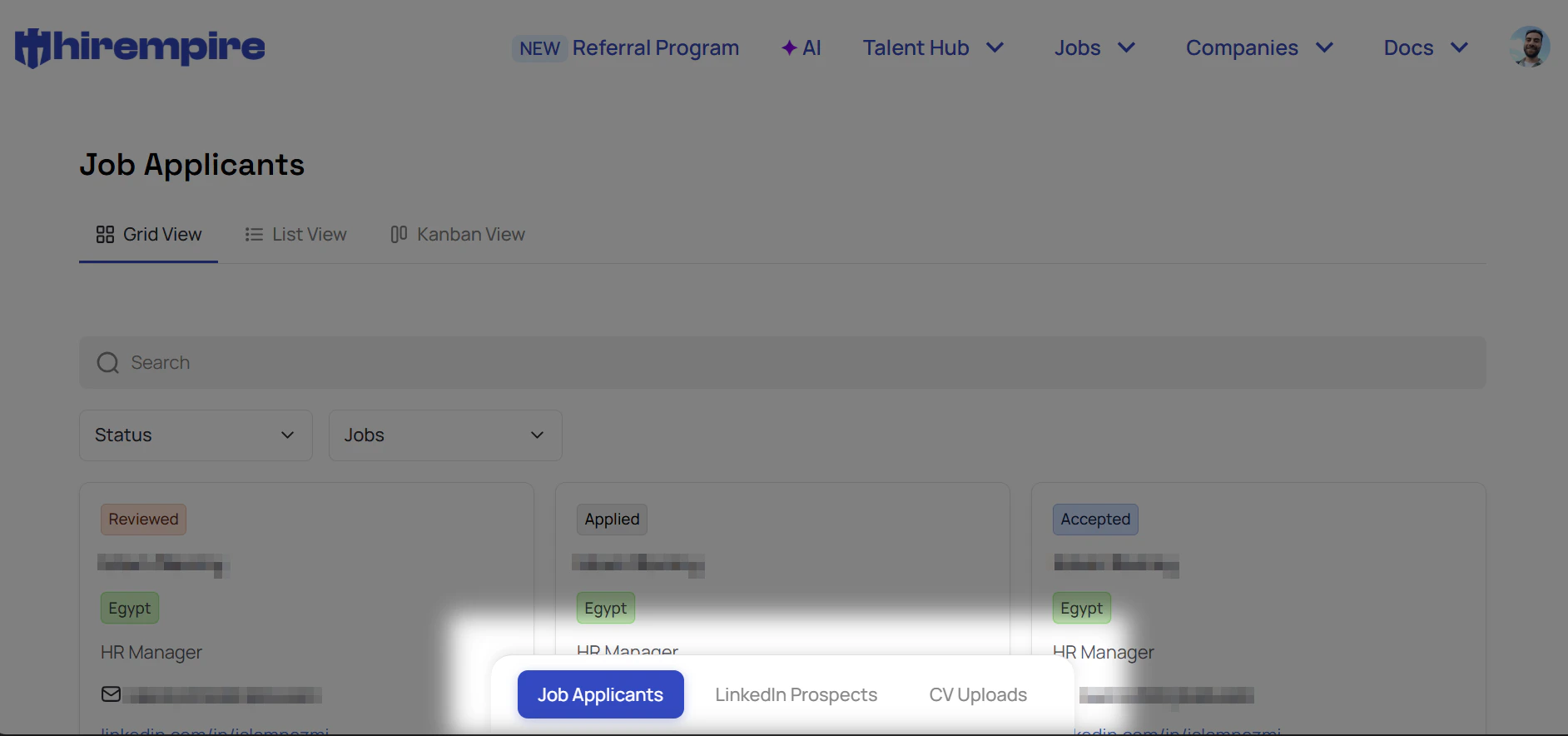
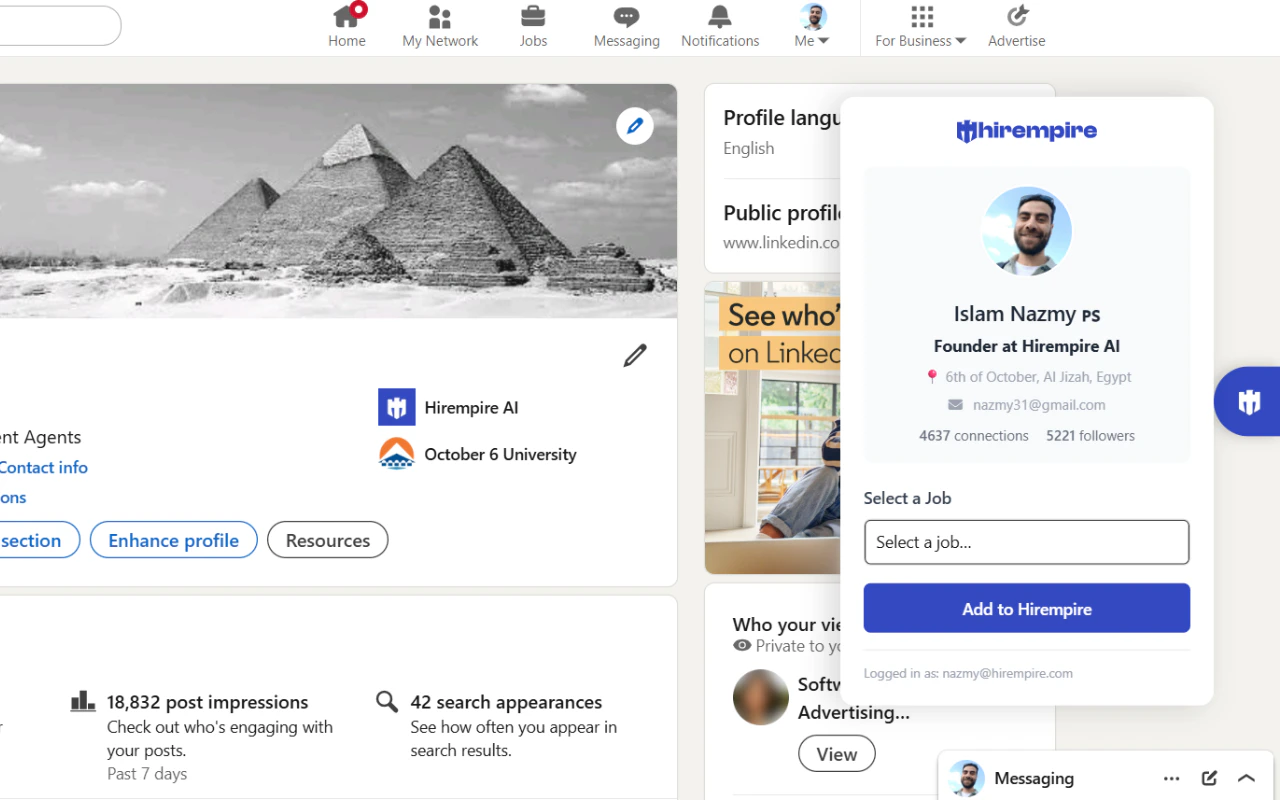
- Combine with the Chrome Extension to add LinkedIn prospects in one click
Turn your network — and your team’s networks — into a candidate source. Every Hirempire account has a unique referral link. Share it anywhere and anyone who visits can browse your open roles and submit a candidate on behalf of a referrer.What gets tracked automatically:
- The referred candidate’s details
- Which job they were referred for
- The referrer’s identity
- Current pipeline status of every referral
Go beyond the standard CV. Add up to 6 custom questions per job posting and collect exactly the information you need before the first interview.Question types available:
- Short text
- Long text (paragraph)
- Single choice
- Multiple choice
- Yes / No
- File upload
The Hirempire REST API is now available. Programmatically access and manage your recruitment data with Bearer token authentication and granular scope controls.Available endpoints at launch:
GET /jobs— list all job postingsGET /jobs/:id— get a specific jobPOST /jobs— create a jobPUT /jobs/:id/status— update job statusDELETE /jobs/:id— delete a jobGET /applicants— list all applicantsGET /applicants/:id— get a specific applicantGET /jobs/:id/applicants— get applicants for a jobPUT /applicants/:id/status— update applicant status